A Genesis Flow Labs product
When the alarm sounds, know who's safe
Muster alerts every phone on site, fills the board in real time as people check in, and escalates anyone unaccounted for. When it is over, the after-action report is already written.
- No app required
- GPS-verified check-ins
- Self-hosted, your data
- Multi-site

The problem
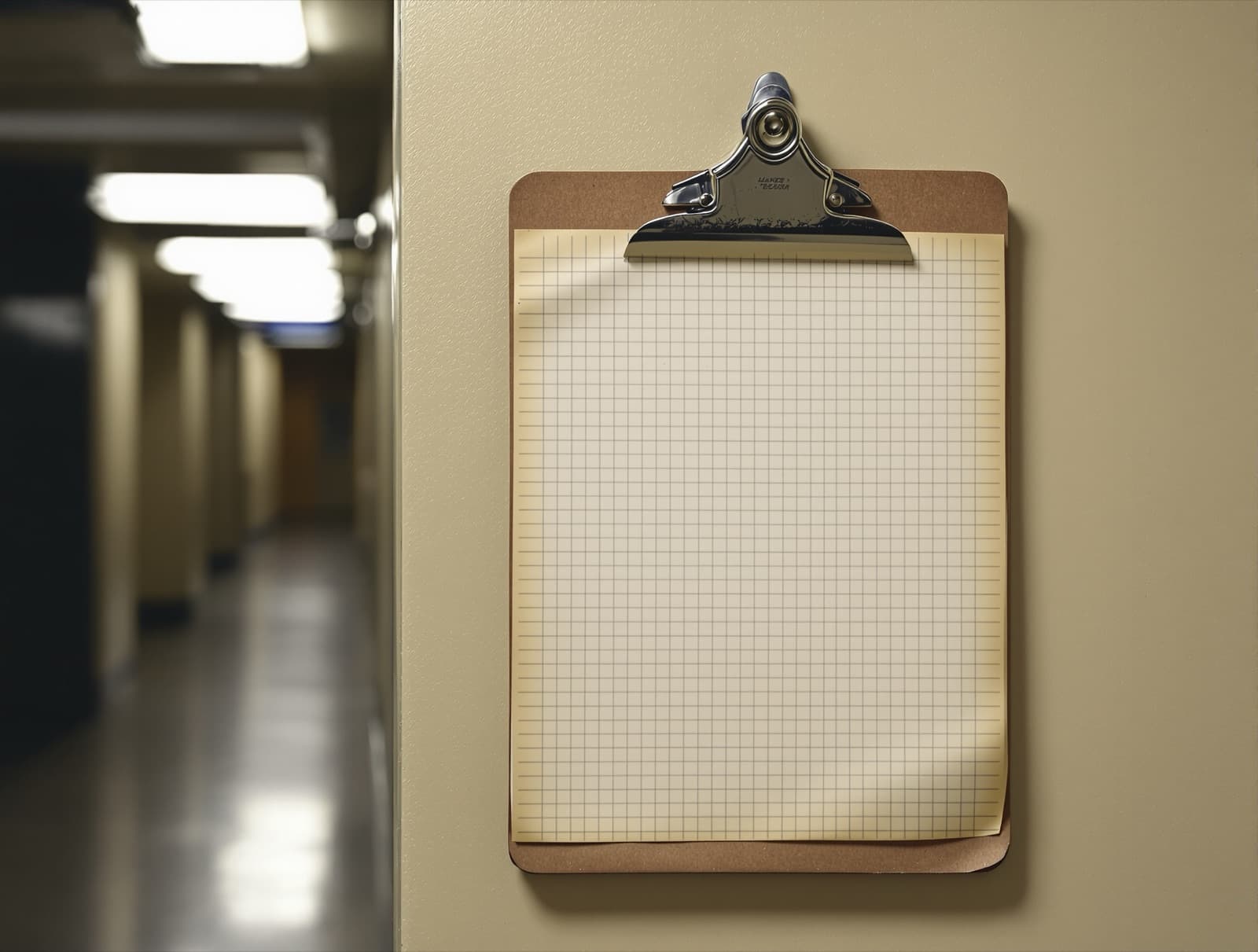
The clipboard fails at the worst moment.
At most industrial sites, emergency accountability is a clipboard and a printed roster from the last shift change. The printed list does not know who called in sick, which contractors are on site, who is visiting, or who walked to the far lot. It fails at exactly the moment it exists for.
When it counts
When an event goes live, the lights go out.
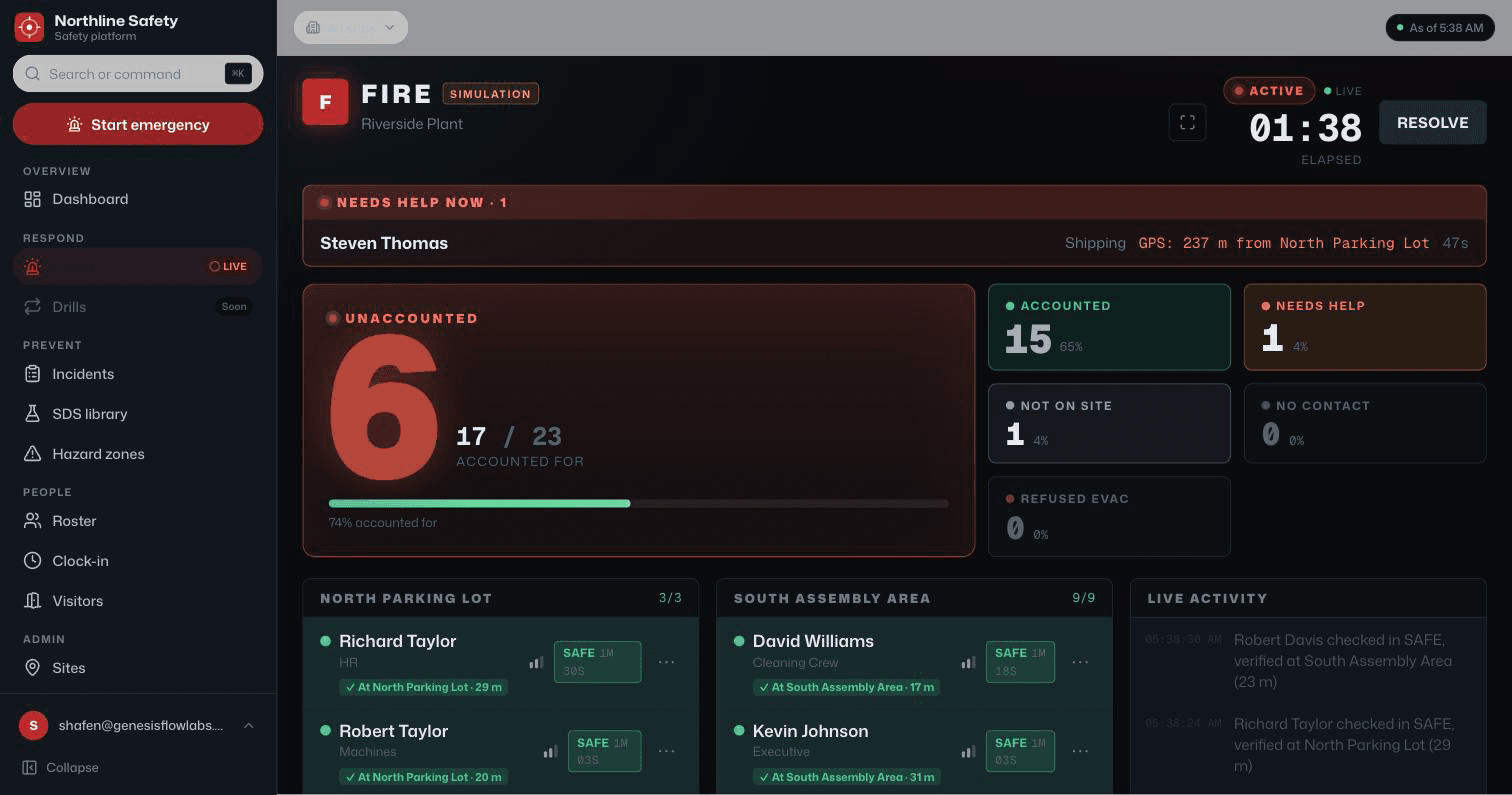
The whole product flips to a dark command console the second an emergency starts. Then it does four things at once.
- 01
Every phone gets hit.
Text message and push notification. One press and the entire roster is alerted, visitors included.
- 02
The board fills itself.
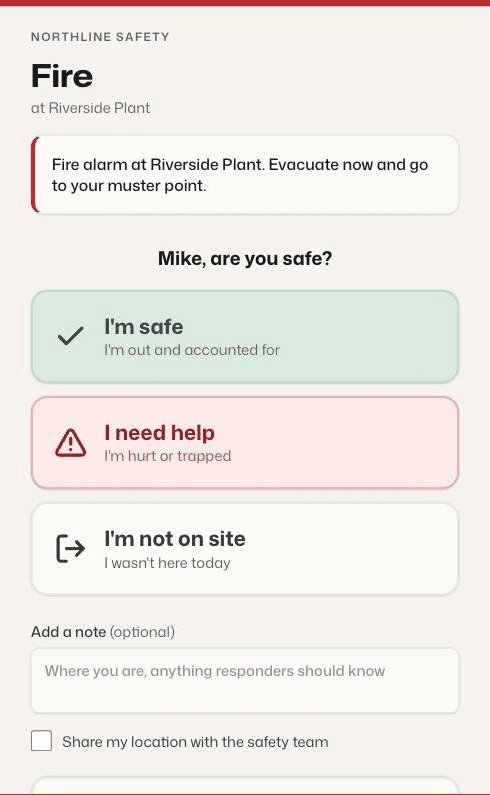
People reply to the text or tap their link. Share location on that link and the check-in is measured against the muster points. Live, no refresh.
- 03
The unaccounted surface.
Anyone silent gets re-pinged automatically, then their emergency contacts do. Anyone who replies SOS jumps to the top of the board as needing help.
- 04
The all clear writes itself.
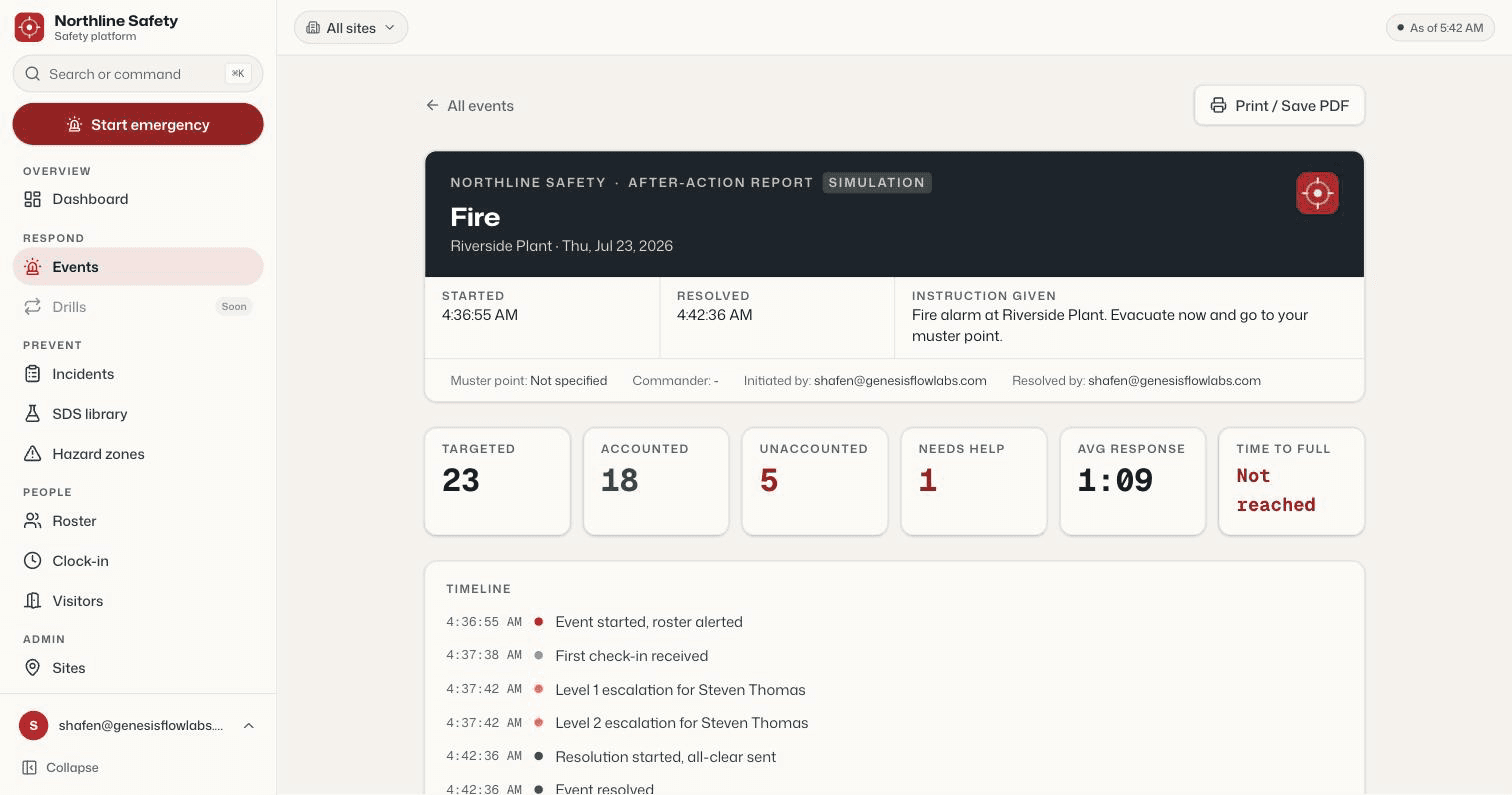
Resolving the event produces the official after-action report: counts, timeline, GPS verification, narrative summary.
The AI layerLive
The commander asks in plain language. The board answers from its own data.
A live-board copilot, auto-written after-action reports, and drafted instructions, running today. Free-text SOS triage is built and runs in drills. All of it on Claude, none of it in the critical path.
What's inside
Everything the worst day needs. Nothing it doesn't.
Live muster board
A real-time accountability grid, streamed straight from the database. Wall-board mode for the EOC TV.
GPS-verified check-ins
Share location on the check-in link and it is measured against your muster points. Inside 150 m counts as at the point, so “confirmed at the assembly point, 28 m” beats “replied from somewhere.” Opt-in, off until the worker ticks it.
Text and push alerts
Both channels fire on one press and hold. Voice-call escalation is next in line.
Auto-escalation
Still silent after the minutes you set: re-ping, then their emergency contacts. Runs on its own worker so nothing delays a page.
AI incident copilot
Ask the board questions in plain language during a live event. Free-text SOS triage is built and runs in drills today.
Visitor and contractor kiosk
Per-site public sign-in. When an event starts, everyone signed in lands on the board automatically.
Clocked-in scoping
Alert only the people on shift right now, fed by your time clock or badge system through a simple webhook.
Geofenced JHA field app
Open Muster at a hazard zone and you get that zone's Job Hazard Analysis to review and sign, GPS and timestamp recorded. Firing in the background needs the native app.
Incident log and SDS library
OSHA-style incident reporting and a searchable chemical library, per site, in the same system.
After-action reports
Counts, timeline, GPS verification, and a written narrative, generated the moment you stand down.
Audit trail
Every consequential action lands in an append-only log with an admin review screen.
White-label multi-site
Tenant isolation on every table from the first commit. A new branded instance is configuration, not a rebuild.
On screen
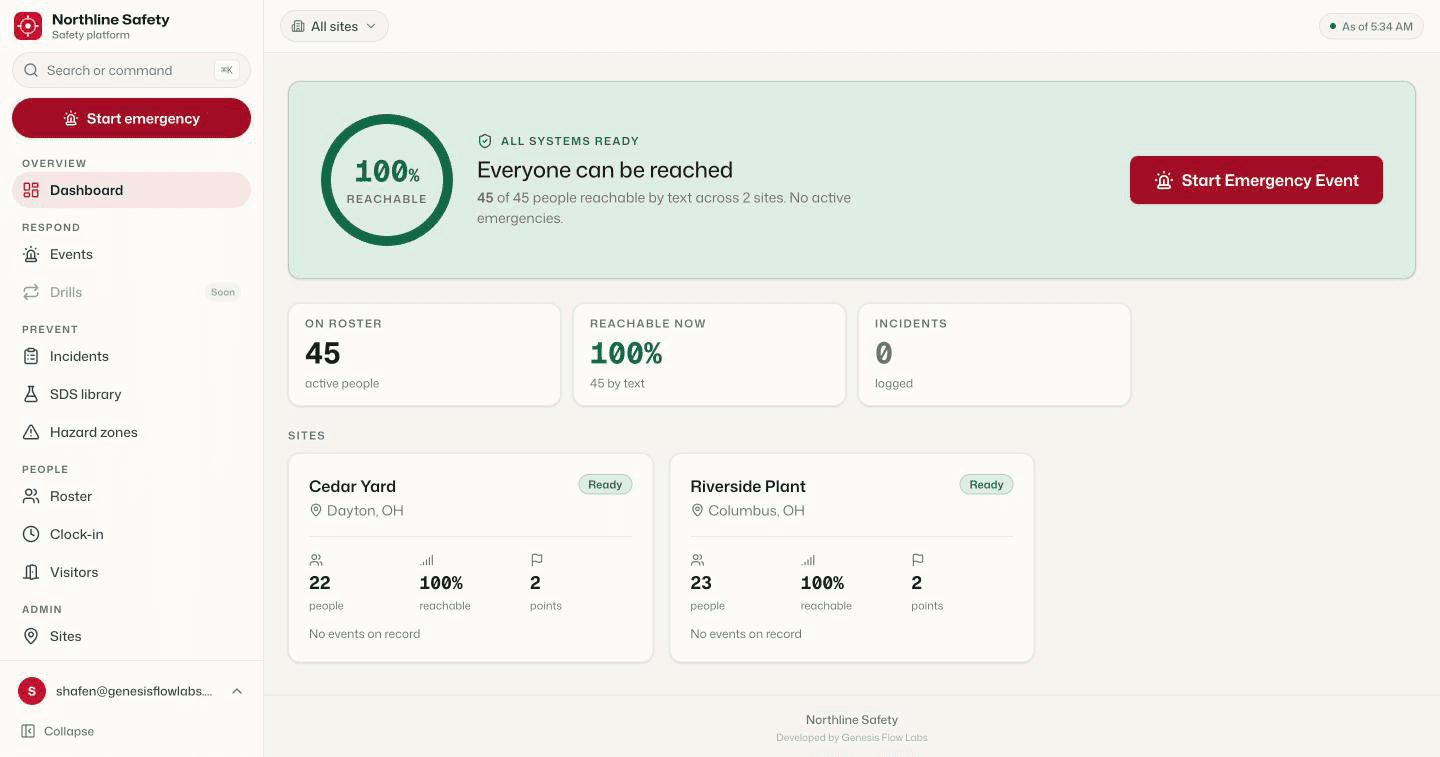
The actual product. Not a mockup.
How it works
Three steps, start to signed report.
Alert
A supervisor presses and holds one button. Everyone on the roster is alerted by text message and push notification at once.
Account
People check in from any phone. The board shows who is safe, who needs help, and who is still silent, with GPS distance to the nearest muster point for anyone who shared location.
All clear
Stand down, and the after-action report is already written. Counts, timeline, verification, narrative.
For safety consultants
Run it under your brand.
Muster is white-label from the first commit. If you advise clients on safety, the platform can carry your name and your pricing while we run the build and the infrastructure. Ask us about reselling.
FAQ
The honest answers.
Do people need to install an app?
No. Any phone that can receive a text or open a link can check in. Web push alerts work from the browser, and an installable home-screen app is available without an app store.
Where does our data live?
On infrastructure you control. Muster is built to be self-hosted, so your employee and safety data, including every document you upload, sits on your own server rather than in someone else's cloud. Every record is isolated by organization at the database level, and your instance can run entirely on your own hardware.
What about visitors and contractors?
A per-site kiosk signs visitors and contractors in. When an event starts, everyone signed in lands on the muster board automatically.
Can we run drills?
Yes. Drills run the same full flow in an unmistakable practice mode, and drill response times feed the readiness view.
Can we alert only the people on shift?
Yes. A toggle scopes alerts to people clocked in right now, fed by your time clock or badge system.
See it live
Fifteen minutes.
Your sites, your scenario.
We will run a live emergency on the demo instance, phones out, and you can watch the board fill. No slides, no obligation.